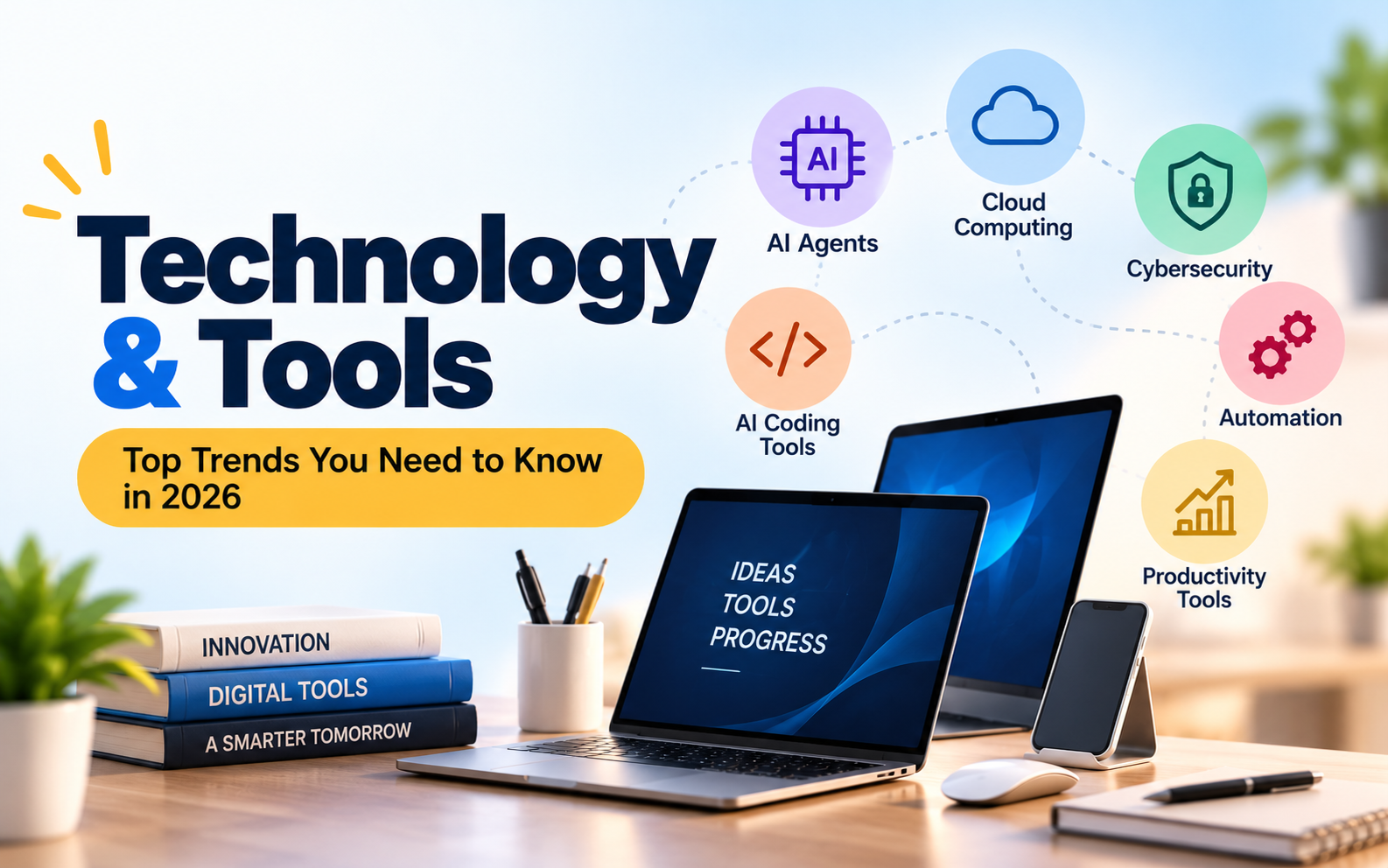
Technology & Tools in 2026: The Top Trends Changing How We Work
Introduction
A few years ago, using technology at work often meant switching between spreadsheets, email, project management software and search engines. Today, many of those tasks can be handled with connected tools that help write content, analyse information, automate repetitive work and even assist with software development.
In 2026, one of the biggest changes is the move from AI tools that simply answer questions to systems that can complete multiple steps toward a goal. At the same time, businesses are paying more attention to cybersecurity, data privacy and the reliability of automated systems.
For students, freelancers, business owners and working professionals, keeping up with every new application is almost impossible. The better approach is to understand which trends are useful and how they solve real problems.
Here are seven technology trends worth watching in 2026.
1. AI Agents Are Moving Beyond Chatbots
AI agents are among the most talked-about developments in technology. Unlike a basic chatbot that responds to a question, an AI agent can use connected tools, retrieve information and carry out a sequence of tasks within defined permissions.
For example, a business might use an agent to organise customer enquiries, gather information from a CRM, prepare a draft response and create a follow-up task for a sales representative.
This technology is attracting attention because it can reduce the amount of manual work involved in routine processes. Gartner has included multiagent systems among its major strategic technology trends for 2026. <Cite refs={["turn738429search0"]}/>
However, AI agents still need supervision. They can misunderstand instructions, use incorrect information or perform an action that was not intended. Businesses should start with low-risk workflows and require human approval for sensitive decisions, financial transactions and important customer communications.
2. AI Coding Tools Are Changing Software Development
Developers are increasingly using AI-powered coding assistants to write code, explain unfamiliar functions, generate tests and identify potential bugs.
Tools such as GitHub Copilot, Claude Code, OpenAI Codex and Cursor are examples of products used in AI-assisted development. Their features and capabilities differ, so developers should compare them according to their workflow rather than assuming one tool is best for every project.
JetBrains' 2026 developer ecosystem research reported that 90% of surveyed professional developers used AI coding agents at work at least weekly, with 68% using them daily during its May–July 2026 survey period. <Cite refs={["turn738429search1"]}/>
For small development teams, these tools can help with repetitive coding tasks and speed up initial prototypes. They can also help beginners understand code, although generated code still needs testing and review.
The important skill is learning how to evaluate AI-generated work. Developers must understand security, debugging, system architecture and performance rather than relying on generated code without checking it.
3. Cybersecurity Is Becoming More Important
As businesses adopt more digital tools, they also create more opportunities for data exposure, phishing attacks and unauthorised access.
Cybersecurity is no longer only a concern for large technology companies. A small business that stores customer information, accepts online payments or manages a website also needs a security plan.
Some important cybersecurity practices include:
Using strong, unique passwords and a password manager.
Enabling multi-factor authentication wherever possible.
Keeping applications, websites and operating systems updated.
Restricting employee access to the information they actually need.
Maintaining regular backups and testing recovery procedures.
Checking links, attachments and unexpected requests before responding.
AI systems introduce additional risks because they may access business documents, customer records and internal software. Companies should establish clear rules about what information employees can share with AI services.
Gartner's 2026 cybersecurity outlook highlights the growing need to govern AI agents and manage their access to systems. <Cite refs={["turn738429search9"]}/>
4. No-Code and Low-Code Tools Make Building Easier
Not every business idea requires a large development team. No-code and low-code platforms allow users to create websites, automate workflows, build forms and develop basic applications with less manual programming.
These tools are useful for entrepreneurs who want to test an idea before investing heavily in a custom solution.
For instance, a small company might create a lead collection form, connect it to a spreadsheet and automatically notify its sales team when a new enquiry arrives.
AI-assisted development is also making it easier to turn plain-language instructions into prototypes and simple applications. However, a prototype is not automatically ready for production. Authentication, data validation, performance, privacy and security still require careful attention.
Choose a platform based on the complexity of the project, integration requirements, pricing and the ability to export or maintain your work. A quick setup can become expensive if the business later discovers that it cannot move its data or customise essential features.
5. Cloud Computing and Online Collaboration
Cloud computing allows people and businesses to use computing resources, applications and storage over the internet instead of relying entirely on local machines.
Cloud-based tools are useful for teams working from different locations. They can share documents, manage projects, maintain backups and access approved business systems without being tied to a single office computer.
For businesses, cloud services can also reduce the need to maintain all infrastructure themselves. However, costs can rise when storage, computing usage and subscriptions are not monitored.
Before selecting a cloud provider, review security controls, backup options, access permissions, data location requirements and expected monthly costs.
A practical setup might combine cloud storage, project management software and automated backups. The goal should be to make work easier while ensuring that important data remains protected and recoverable.
6. Productivity and Automation Tools Are Saving Time
Many professionals spend a surprising amount of time on small, repetitive tasks: scheduling meetings, preparing reports, sorting emails, updating spreadsheets and following up with customers.
Productivity tools help organise this work. Project management platforms can track responsibilities and deadlines, while automation tools connect applications and move information between them.
AI assistants can also help draft emails, summarise long documents, organise research and create first drafts of presentations.
For example, a marketing team could use a content calendar to plan campaigns, a design tool to prepare creative assets and an analytics platform to review performance. Automating selected steps can reduce manual updates and help the team maintain a consistent process.
Still, adding more tools does not always improve productivity. Too many subscriptions can create confusion, duplicate information and increase costs.
Start by identifying a repetitive task, measuring how much time it takes and testing one suitable solution. Keep the workflow only if it produces a clear benefit.
7. AI on Personal Devices and Smarter Computing
Another trend is the development of computers that can run certain AI workloads directly on the device instead of sending every request to a cloud service.
This approach, often called on-device AI, can reduce dependence on an internet connection for supported tasks and may offer privacy or responsiveness benefits. The actual advantages depend on the hardware, software and workload.
Microsoft's October 2026 announcements highlighted a push toward running more advanced AI workloads locally on personal computers, alongside new controls intended to restrict unauthorised actions by AI agents. <Cite refs={["turn738429news3"]}/>
For everyday users, however, buying expensive AI hardware is not always necessary. Many common tasks work well with existing computers and cloud-based services.
Before upgrading, consider what you actually need to run. Check memory, processor performance, storage, battery life, software compatibility and total cost. A device marketed as AI-ready is not automatically the best value for every user.
How to Choose the Right Technology Tools
With new products launching regularly, it is easy to get distracted by features that look impressive but solve no real problem.
Use these questions before adopting a new tool:
What problem does it solve? Identify the task you want to improve.
Will it save time or money? Estimate the benefit against subscription, setup and maintenance costs.
Is it secure? Review permissions, data handling and access controls.
Does it integrate with existing systems? Avoid unnecessary duplication.
Can you verify its output? This is especially important for AI-generated code, reports and business decisions.
Can you leave the platform later? Check data export options and dependence on a particular vendor.
For most individuals and small businesses, mastering a few useful tools is more valuable than trying every trending application.
Conclusion
The technology landscape in 2026 is being shaped by AI agents, coding assistants, cybersecurity, low-code development, cloud services and smarter personal computing.
These developments offer practical opportunities to reduce repetitive work, build products faster and organise information more effectively. They also bring new responsibilities around security, cost management and accuracy.
You do not need to adopt every new technology to stay competitive. Start with a real problem, choose a tool that addresses it and measure the results. Keep human oversight where errors could have serious consequences, and protect sensitive information when using connected services.
The most useful technology is not necessarily the newest one. It is the one that helps you do meaningful work more effectively without creating unnecessary complexity.
Sources and further reading
Gartner: Top Strategic Technology Trends for 2026
JetBrains: AI Coding Agent Adoption Trends, 2026
Gartner: Top Cybersecurity Trends for 2026
Note: Technology products and capabilities change frequently. Check official product documentation before choosing a tool for business or professional use.
Comments (0)
No comments yet. Be the first to comment below!
Leave a Comment
Your email address will not be published. Required fields are marked *